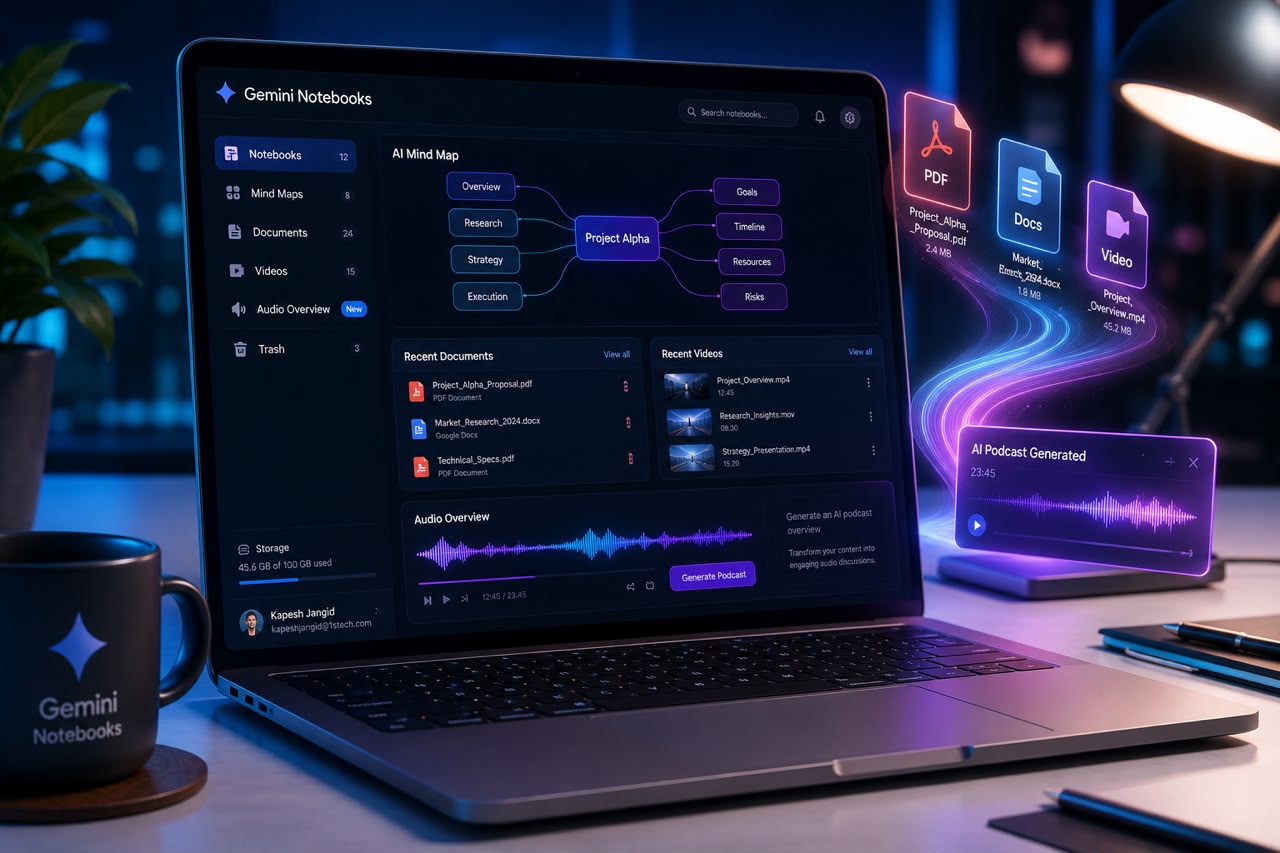
What Is Google Gemini Notebooks?
Google is gradually bringing all of its AI products under the Gemini brand, and one of the biggest changes is the evolution of NotebookLM, which is now becoming Gemini Notebooks.
This isn't just a name change.
It reflects Google's vision of making Gemini the central hub for productivity, research, and knowledge management.
Unlike a typical AI chatbot that answers questions using general internet knowledge, Gemini Notebooks is designed around your own information.
You can upload documents, organize research, and create a private AI-powered workspace where the AI understands only the content you've provided. That makes responses far more focused, contextual, and reliable—especially for professional work.
More Than Just an AI Chatbot
Most AI chatbots are built for general conversations.
Gemini Notebooks works differently.
Instead of relying primarily on public information, it builds a personalized knowledge base using your own sources, such as:
- 📄 PDFs
- 📑 Google Docs
- 🎥 YouTube Videos
- 🌐 Websites
- 📚 Research Papers
- 📝 Notes
- 📊 Reports
- 📁 Technical Documentation
The AI then analyzes those sources, connects related information, and answers questions based on your uploaded content rather than making broad assumptions.
This significantly reduces the chances of AI hallucinations and helps produce answers that are easier to verify.
Top Productivity Features of Gemini Notebooks
🧠 1. Your Own AI Knowledge Expert
One of the biggest advantages of Gemini Notebooks is that it can become an expert on your documents.
Instead of searching across the internet, it focuses entirely on your uploaded material.
This makes it especially useful for:
- Research projects
- Company documentation
- Technical manuals
- Policy documents
- Academic papers
- Internal knowledge bases
The result is faster research and more accurate answers that stay within your own context.
🎧 2. Audio Overviews
Perhaps the most popular feature is Audio Overviews.
Instead of reading a lengthy report from start to finish, Gemini can transform it into a natural podcast-style discussion that highlights the key ideas.
This is especially useful when you want to learn while:
- 🚗 Driving
- 🚶 Walking
- 🏃 Exercising
- ☕ Taking a break
- ✈️ Travelling
It allows you to consume information without sitting in front of a screen.
📊 3. Code Execution & Data Analysis
For Google AI Pro and eligible Google Workspace users, Gemini Notebooks can do much more than summarize documents.
It can also work with structured data by helping you:
- Run Python code
- Analyze large datasets
- Create charts and visualizations
- Identify trends
- Extract business insights
Instead of moving between multiple analytics tools, many tasks can be completed inside the same AI workspace.
🗺️ 4. Turn Long Documents Into Visual Content
Reading hundreds of pages isn't always practical.
Gemini Notebooks can automatically convert complex information into easier-to-understand formats such as:
- Mind Maps
- Study Guides
- Timelines
- Structured Notes
- Visual Summaries
This makes it much easier to understand complicated topics and share knowledge with teams.
Who Can Benefit from Gemini Notebooks?
One of the biggest strengths of Gemini Notebooks is its flexibility.
Different industries can use the same platform in very different ways.
📈 Business & Finance
Companies can organize:
- Financial reports
- Market research
- Business documents
- Strategy papers
This helps teams prepare executive summaries, identify important trends, and speed up decision-making without manually reviewing hundreds of pages.
⚖️ Legal & Compliance
Legal teams often work with massive collections of documents.
Gemini Notebooks can help organize:
- Contracts
- Case law
- Compliance policies
- Regulatory documentation
- Internal legal records
Since responses are tied back to the original sources, verifying information becomes much easier.
🎓 Education & Research
Students, teachers, and researchers can create their own AI-powered study hub.
Instead of searching through dozens of folders, they can ask questions across:
- Lecture notes
- Study material
- Research papers
- Academic references
- Project documents
This makes revision and research significantly faster.
📢 Marketing & Content Creation
Content creators and marketing teams often collect information from multiple sources before creating campaigns.
Gemini Notebooks can help organize:
- Competitor research
- Campaign briefs
- Brainstorming notes
- SEO research
- Market reports
- Product documentation
This makes it easier to generate ideas, prepare presentations, and write high-quality content while keeping all reference material in one place.
🧪 Research & Development
For technical teams, Gemini Notebooks can become a centralized research workspace.
Teams can combine:
- Scientific papers
- Product specifications
- Technical documentation
- Web research
- Internal notes
into a single searchable knowledge base that everyone can work from.
Why Gemini Notebooks Stands Out
Several AI tools can summarize documents.
But Gemini Notebooks focuses on something much more valuable—
Context.
Instead of answering questions in isolation, it builds understanding around your own information.
That makes it particularly useful for anyone who works with large amounts of documentation every day.
Whether you're preparing for an exam, analyzing legal documents, researching competitors, or managing company knowledge, the experience feels less like chatting with an AI and more like working alongside a research assistant that already understands your files.
Final Thoughts
Google's move from NotebookLM to Gemini Notebooks represents more than a branding update.
It signals Google's ambition to make Gemini the center of its AI productivity ecosystem.
By combining document understanding, intelligent search, audio summaries, visual organization, and data analysis into a single workspace, Gemini Notebooks offers a different approach from traditional AI chatbots.
If your work involves reading, researching, organizing, or analyzing large volumes of information, this is one AI tool that's well worth exploring.
Official Resources
- Google Gemini Notebooks: https://notebooks.gemini.google.com
- NotebookLM: https://notebooklm.google.com
