How Developers Run Multiple Projects Using One Domain with Subdomains
How Developers Run Multiple Projects Using One Domain with Subdomains If you are a developer managing multiple websites, applications, APIs, dashboards.
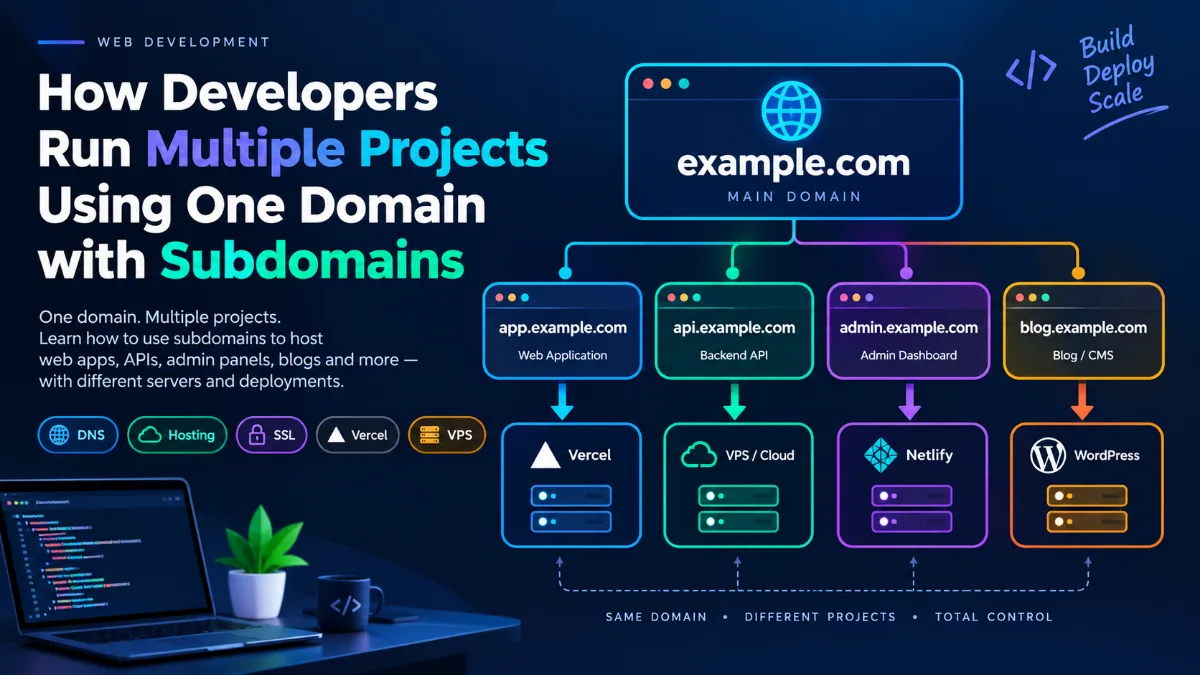
Executive Summary
How Developers Run Multiple Projects Using One Domain with Subdomains
Core Analysis & Findings
If you are a developer managing multiple websites, applications, APIs, dashboards, or client projects, you don't necessarily need to buy a separate domain for every project.
A single domain can be used to host multiple completely different projects by creating subdomains.
For example, suppose you own:
example.com
You can use it for multiple projects like:
This is a common approach used by developers, startups, agencies, and companies.
- What Is a Subdomain?
A subdomain is an additional section of your main domain.
If your main domain is:
"example.com"
Then:
"app.example.com"
is a subdomain.
The structure looks like this:
app.example.com
│ │ │
│ │ └── Main domain
│ └────────── Subdomain
└────────────── Protocol is added separately
You can create many subdomains under the same domain.
For example:
example.com
│
├── app.example.com
├── admin.example.com
├── api.example.com
├── blog.example.com
├── shop.example.com
├── project1.example.com
└── project2.example.com
Each subdomain can point to a completely different server or hosting platform.
- Why Do Developers Use Subdomains?
The biggest advantage is that you can organize multiple projects under one domain.
Imagine you are a developer who has five projects.
Without subdomains, you might purchase:
project-one.com
project-two.com
project-three.com
project-four.com
project-five.com
That means managing five domains, five DNS configurations, renewals, SSL settings, and potentially multiple email configurations.
Instead, you could purchase one domain:
mydomain.com
and create:
project1.mydomain.com
project2.mydomain.com
project3.mydomain.com
project4.mydomain.com
project5.mydomain.com
Much easier to manage.
- One Domain Does NOT Mean One Server
This is an important concept.
Your subdomains don't have to run on the same server.
For example:
mydomain.com
│
├── app.mydomain.com
│ ↓
│ Vercel
│
├── api.mydomain.com
│ ↓
│ AWS / VPS
│
├── admin.mydomain.com
│ ↓
│ Netlify
│
└── blog.mydomain.com
↓
WordPress
All of these projects can be hosted by completely different providers.
The DNS records tell the internet where each subdomain should go.
- How DNS Makes This Possible
DNS stands for Domain Name System.
You can think of DNS as the internet's address book.
When someone visits:
app.mydomain.com
DNS tells the browser where that subdomain should go.
For example:
The domain registrar could be:
- GoDaddy
- Namecheap
- Cloudflare
- Hostinger
- Google/Squarespace Domains
- Other domain registrars
The hosting providers can be completely different.
- Example DNS Setup
Suppose you own:
mydomain.com
And you have three projects:
Project 1 — Next.js application
app.mydomain.com
Hosted on Vercel.
Project 2 — Backend API
api.mydomain.com
Hosted on a VPS.
Project 3 — Admin panel
admin.mydomain.com
Hosted somewhere else.
Your DNS could conceptually look like:
Type Name Destination
A @ Your main server
CNAME app Vercel
A api VPS IP address
CNAME admin Another hosting provider
Now:
- A Real Developer Workflow
Let's say a developer owns:
onewebonline.in
They have several projects.
They could structure them like this:
onewebonline.in
│
├── www.onewebonline.in
│ └── Main website
│
├── app.onewebonline.in
│ └── SaaS application
│
├── admin.onewebonline.in
│ └── Admin dashboard
│
├── api.onewebonline.in
│ └── Backend API
│
├── docs.onewebonline.in
│ └── Documentation
│
└── project1.onewebonline.in
└── Experimental project
This gives the developer a clean project structure.
- Subdomains and GitHub Projects
Subdomains work very well with GitHub-based development.
For example, suppose you have:
GitHub
│
├── project-one
├── project-two
└── project-three
You can deploy them separately.
For example:
And:
And:
The GitHub repositories are independent.
The domain simply provides a clean URL for each deployment.
- Can Every Project Have Its Own SSL Certificate?
Yes.
Modern hosting platforms generally handle HTTPS/SSL automatically.
You can have:
https://app.mydomain.com
https://api.mydomain.com
https://admin.mydomain.com
https://blog.mydomain.com
Each can use HTTPS.
In many hosting setups, SSL certificates are automatically issued and renewed.
- What About www?
You can also use:
www.mydomain.com
for your main website.
For example:
Usually, "www" is treated as another hostname rather than a subdomain used for a separate project, although technically it is a subdomain.
- Subdomain vs Folder
There are two common ways to organize multiple web projects.
Option A — Subdomains
app.mydomain.com
admin.mydomain.com
blog.mydomain.com
Option B — Paths
mydomain.com/app
mydomain.com/admin
mydomain.com/blog
They are not the same architecture.
A subdomain is often better when projects are:
- Independent applications
- Hosted separately
- Built with different technologies
- Deployed independently
- Managed by different teams
- Using different backend infrastructure
For example:
app.mydomain.com
could be a React/Next.js application while:
api.mydomain.com
could be a Node.js backend.
- Subdomain vs Path — Simple Comparison
Feature| Subdomain| Path
Example| "app.example.com"| "example.com/app"
Independent hosting| Excellent| More complicated
Independent deployment| Excellent| Depends on architecture
Different technologies| Easy| Possible but more complex
Separate SSL handling| Common| Same domain SSL
Project isolation| High| Lower
Good for APIs| Yes| Possible
Good for separate apps| Yes| Sometimes
- Using a Wildcard Subdomain
Developers can also use a wildcard DNS record.
For example:
*.mydomain.com
This can allow many subdomains to point to the same infrastructure.
For example:
project1.mydomain.com
project2.mydomain.com
project3.mydomain.com
project4.mydomain.com
can all be handled by the same server or application.
This is particularly useful for:
- SaaS platforms
- Multi-tenant applications
- Preview deployments
- Customer-specific environments
- Dynamic projects
For example:
customer1.myapp.com
customer2.myapp.com
customer3.myapp.com
The application can identify the customer based on the hostname.
- Using One Domain for Development Projects
Subdomains are also useful for developers experimenting with projects.
Suppose you have:
dev1.mydomain.com
dev2.mydomain.com
demo.mydomain.com
test.mydomain.com
You can deploy experimental projects without purchasing additional domains.
For example:
This is especially useful for portfolios.
- Using a Subdomain for an API
One of the most common professional setups is:
app.example.com
for the frontend and:
api.example.com
for the backend.
For example:
The frontend might make requests such as:
GET https://api.example.com/users
or:
POST https://api.example.com/login
This creates a clean separation between frontend and backend.
- Using a Subdomain for an Admin Panel
Another common architecture is:
example.com
→ Public website
app.example.com
→ User application
admin.example.com
→ Admin dashboard
api.example.com
→ Backend API
The architecture becomes:
┌── example.com
│ Public Website
│
User ───────────────┼── app.example.com
│ User Application
│
├── admin.example.com
│ Admin Panel
│
└── api.example.com
Backend API
Each component can be deployed independently.
- What Happens When You Deploy a New Version?
Suppose:
app.example.com
is connected to a GitHub repository.
Your workflow can be:
If you push a new commit:
git push
your hosting provider can automatically build and deploy the new version.
The domain doesn't change.
Users continue visiting:
https://app.example.com
- Do You Need to Buy a New Domain for Every Project?
No.
You only need another domain if you specifically want a completely separate domain identity.
For example:
company.com
and:
anothercompany.com
are separate domains.
But:
app.company.com
admin.company.com
api.company.com
are all part of:
company.com
So one domain can support a large number of projects and services.
- How Many Subdomains Can You Create?
There isn't a practical need to limit yourself to only a few.
You can create many subdomains, subject to the limits and configuration of your DNS provider and hosting infrastructure.
For example:
app.example.com
admin.example.com
api.example.com
docs.example.com
blog.example.com
status.example.com
cdn.example.com
dev.example.com
staging.example.com
demo.example.com
Large organizations can have hundreds or thousands of hostnames.
- A Professional Domain Structure
A developer or startup might organize their infrastructure like this:
example.com
│
├── www.example.com
│ Public website
│
├── app.example.com
│ Main application
│
├── admin.example.com
│ Admin dashboard
│
├── api.example.com
│ REST/GraphQL API
│
├── docs.example.com
│ Documentation
│
├── blog.example.com
│ Blog
│
├── status.example.com
│ System status
│
├── staging.example.com
│ Testing environment
│
└── dev.example.com
Development environment
This is a very common way to structure web infrastructure.
- What About Email?
Subdomains can also be useful for email infrastructure.
For example:
example.com
could be used for the main company.
A dedicated sending subdomain could be:
mail.example.com
Then application emails could be sent from:
notifications@mail.example.com
or:
support@mail.example.com
This can help separate application email infrastructure from the main domain.
However, email DNS records such as SPF, DKIM, and DMARC need to be configured correctly.
- Important: DNS Does Not Host Your Website
A common beginner misunderstanding is:
«"If I create a subdomain, where does my website actually run?"»
Creating:
app.example.com
doesn't automatically create a website.
DNS only tells the internet where to find the service.
You still need hosting.
Think of it like this:
- The Complete Picture
A typical developer setup may look like this:
DOMAIN
example.com
│
▼
DNS
│
┌────────────────┼─────────────────┐
│ │ │
▼ ▼ ▼
app.example.com api.example.com admin.example.com
│ │ │
▼ ▼ ▼
Vercel VPS Netlify
│ │ │
▼ ▼ ▼
Frontend Backend Dashboard
│ │
└───────────────►│
▼
Database
One domain.
Multiple subdomains.
Multiple projects.
Potentially multiple hosting providers.
- Best Practices
When using subdomains for multiple projects, follow a consistent naming system.
Good
app.example.com
api.example.com
admin.example.com
docs.example.com
blog.example.com
Avoid confusing names
abc123.example.com
newfinal2.example.com
testprojectxyz.example.com
Use names that clearly communicate what the service does.
Also consider separating environments:
app.example.com
Production
staging.example.com
Staging
dev.example.com
Development
- Final Example
Imagine you own:
mycompany.com
You have four projects:
Website
mycompany.com
SaaS Application
app.mycompany.com
API
api.mycompany.com
Admin Panel
admin.mycompany.com
Your infrastructure can look like:
mycompany.com
│
DNS
│
┌──────────────┼──────────────┐
│ │ │
▼ ▼ ▼
Website App API
│ │ │
Hosting Vercel VPS
│
│
▼
Database
admin.mycompany.com
│
▼
Admin Dashboard
Everything belongs to the same domain, but each application can be independently developed, deployed, and maintained.
Conclusion
Using subdomains is one of the simplest ways for developers to manage multiple applications under a single domain.
Instead of buying:
project1.com
project2.com
project3.com
project4.com
you can use:
project1.example.com
project2.example.com
project3.example.com
project4.example.com
The key idea is:
«One domain can act as the central identity, while subdomains separate individual applications and services.»
This makes it possible to build a professional infrastructure where your:
- Website
- Web application
- Admin panel
- API
- Documentation
- Blog
- Testing environment
- Client projects
- Experimental projects
can all coexist under one domain.
And the best part is that each subdomain can be connected to a different hosting provider or server.
Strategic Takeaways & Next Steps
For developers managing multiple projects, this provides a clean, scalable, and cost-effective way to organize web applications.
Key Takeaway: Proactive execution and verified architecture drive long-term technical excellence.

Subscribe to One2Tech Insights
Stay updated with our latest development and tech guides.
More from AI Careers
View all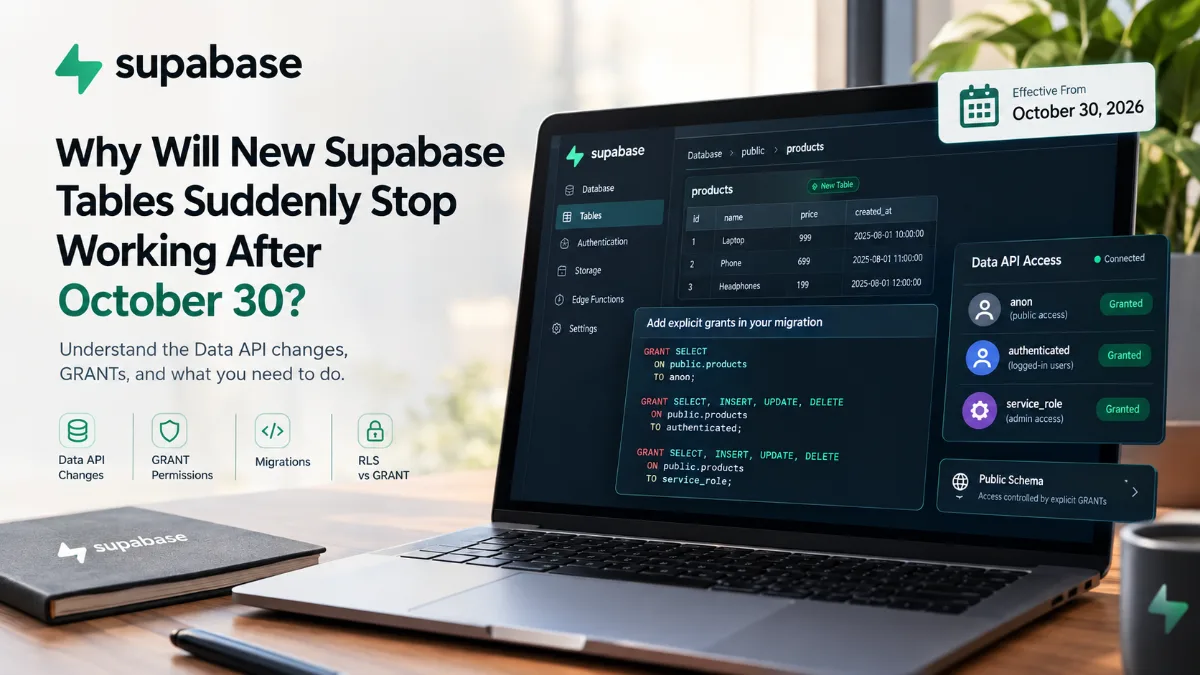
Supabase में 30 अक्टूबर के बाद नई Tables अचानक काम क्यों नहीं करेंगी?
30 अक्टूबर 2026 से Supabase के existing projects में public schema की नई tables Data API से automatically accessible नहीं होंगी। जानिए GRANT, RLS, migrations और existing tables पर इसका क्या असर होगा।
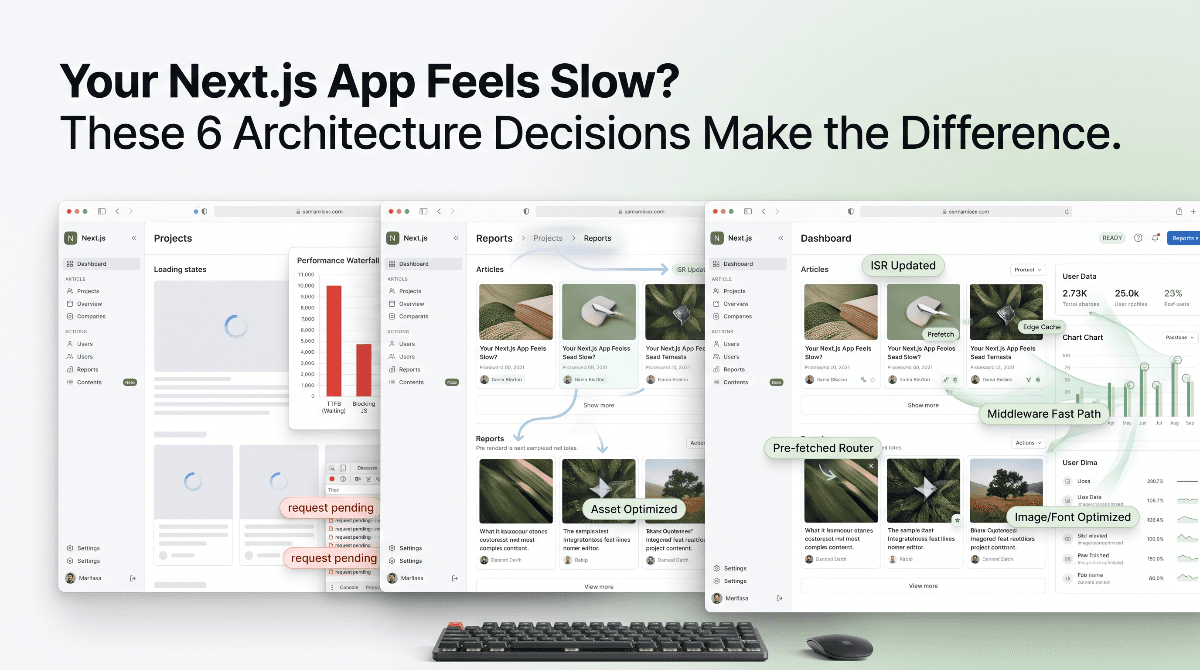
आपकी Next.js App Slow क्यों लगती है? इन 6 Architecture Decisions से फर्क पड़ता है
आपकी Next.js app modern होने के बावजूद slow महसूस हो सकती है। जानिए static rendering, caching, navigation, middleware और data architecture के 6 performance principles जो real-world speed को बेहतर बनाते हैं।