Your Next.js App Feels Slow? These 6 Architecture Decisions Make the Difference
Your Next.js app can be technically modern and still feel slow. Learn six architectural principles—from static rendering and caching to smarter navigation and resilient data access—that can make a measurable difference.
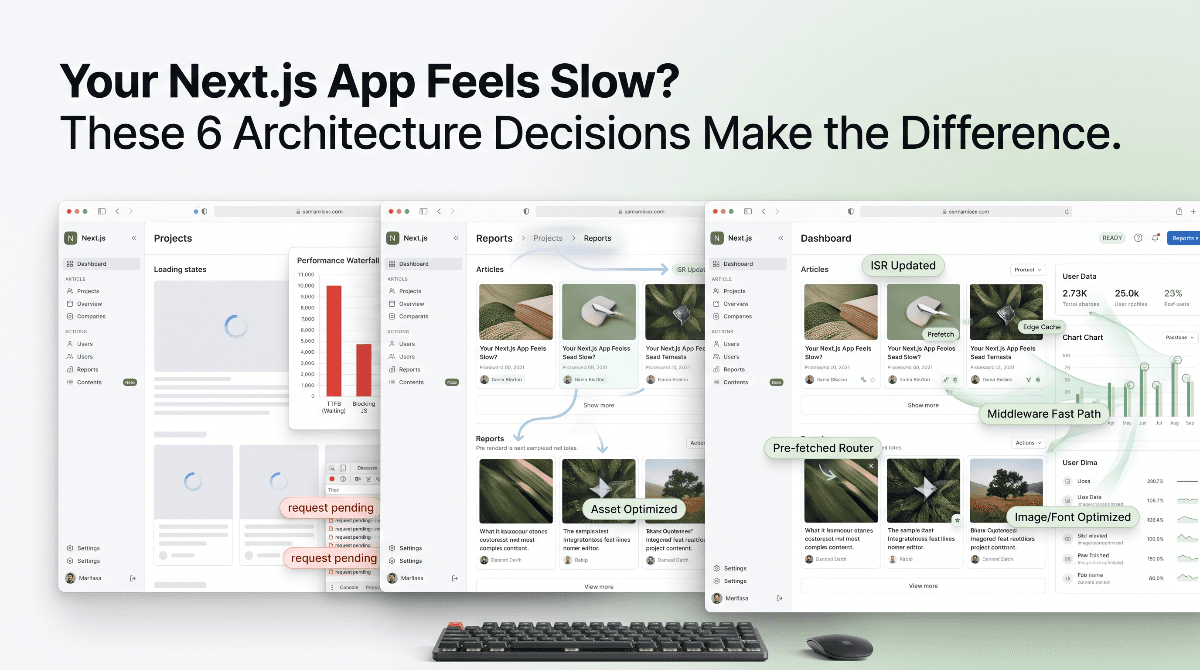
Your Next.js App Feels Slow? These 6 Architecture Decisions Make the Difference
Next.js gives you many of the tools needed to build fast applications.
But using Next.js does not automatically make an application fast.
A project can use the App Router, Server Components, ISR, and edge infrastructure and still feel sluggish because of a few architectural decisions:
A request-dependent root layout.
An unnecessary database lookup in middleware.
A large client-side JavaScript bundle.
Poor image loading strategy.
Or navigation that gives the user no immediate feedback.
The important distinction is this:
Performance is not just a framework feature. It is an architectural outcome.
If the goal is to build an application that feels fast, responsive, and effortless—not simply one that scores well in a benchmark—these six principles are worth understanding.
⚡ The 6 Pillars of Next.js Performance
| Pillar | Primary Goal |
|---|---|
| 1. Static + ISR | Keep public content cache-friendly |
| 2. Auth Decoupling | Avoid unnecessary dynamic rendering |
| 3. Middleware Fast Paths | Eliminate expensive work from common requests |
| 4. Prefetch + Client Navigation | Make navigation feel instant |
| 5. Font + Image Optimization | Reduce layout shifts and rendering cost |
| 6. Resilient Data Layer | Handle external dependency failures predictably |
1. 🏎️ Make Static Rendering and ISR the Default
Not every page needs a database query on every request.
For content such as articles, documentation, public profiles, or other relatively stable resources, repeatedly generating the same page on the server can be unnecessary.
This is where static rendering and Incremental Static Regeneration (ISR) become valuable.
For example:
export const revalidate = 3600;This allows a page to use a cached representation while still providing a mechanism for regeneration based on the configured revalidation strategy.
Use generateStaticParams for known dynamic routes
If your application contains many known dynamic pages, you can provide their parameters during the build:
export async function generateStaticParams() {
  const posts = await getPosts();

  return posts.map((post) => ({
    slug: post.slug,
  }));
}
The important architectural rule is simple:
Public content → Static or ISR first
Personalized content → Dynamic when necessary
Dynamic rendering should be a deliberate choice, not the default for everything.
2. 🔐 Avoid the Root Cookies Trap
One subtle performance problem in App Router applications is putting request-specific authentication logic inside shared layouts.
For example:
const cookieStore = await cookies();
const user = await getUser(cookieStore);
When a shared part of the application depends on request-specific data, it can reduce opportunities for static rendering and caching.
A better approach is to separate the public application shell from personalized state whenever the product allows it.
Think of the architecture as:
For example, a client-side session listener can update authentication UI after the initial application shell is available:
useEffect(() => {
  supabase.auth.getSession().then(({ data }) => {
    setUser(data.session?.user ?? null);
  });
}, []);
This does not mean authentication should always move to the client.
The real principle is:
Do not make a component dynamic if it does not actually need personalized data.
3. 🚦 Give Middleware a Fast Path
Middleware or proxy logic sits directly in the request path.
That makes unnecessary work especially expensive.
Imagine an application where every request triggers a database lookup to determine whether a redirect exists.
For frequently accessed first-party routes, that lookup may be completely unnecessary.
You can identify known routes:
const FIRST_PARTY_PREFIXES = [
  "/posts",
  "/books",
  "/temples",
  "/saints",
];
Then bypass expensive redirect logic:
if (
  pathname === "/" ||
  FIRST_PARTY_PREFIXES.some((p) =>
    pathname.startsWith(p)
  )
) {
  return NextResponse.next();
}
The broader idea is:
Known Request
     ↓
Fast Path
     ↓
Continue

Unknown Request
     ↓
Expensive Lookup
This is a small architectural decision, but it becomes increasingly valuable as traffic grows.
4. 🧭 Make Navigation Feel Instant
Performance is not only about server response time.
It is also about perceived responsiveness.
When users click a navigation item, they should immediately understand that the application responded to their action.
Next.js Link prefetching can help prepare likely destinations before the click:
<Link href="/books" prefetch={true}>
  Book Collection
</Link>
For high-intent navigation such as primary menu items, this can improve the transition experience.
Handle same-page navigation intelligently
If the user is already on / and clicks the logo, a full navigation may not provide any value.
Instead, the interaction can simply scroll back to the top:
if (pathname === "/") {
  e.preventDefault();

  window.scrollTo({
    top: 0,
    behavior: "smooth",
  });
}
A lightweight navigation progress indicator can also provide immediate visual feedback.
But the goal is not to add animation for the sake of animation.
The goal is:
That is perceived performance.
5. 🖼️ Treat Fonts and Images as Part of Your Performance Budget
A page can technically load quickly and still feel broken if the layout keeps moving while content arrives.
Text shifts.
Images resize.
Hero sections jump.
This affects Cumulative Layout Shift (CLS) and, more importantly, makes the interface feel unstable.
Optimize font loading
Next.js font tooling allows fonts to be integrated into the application rather than treated as an afterthought.
For example:
const notoSans = Noto_Sans_Devanagari({
  variable: "--font-devanagari-sans",
  subsets: ["devanagari"],
  display: "swap",
  weight: ["400", "600", "700"],
});
Optimize images intentionally
Above-the-fold images deserve a different loading strategy from images far below the viewport.
Using next/image helps manage image sizing, responsive delivery, and optimization.
The principle is simple:
A fast page is not just one where content arrives quickly.
It is one where the layout remains stable while that content arrives.
6. 🛡️ Build a Resilient Data Layer
A production-grade application should not only be fast.
It should also behave predictably when external dependencies fail.
Imagine your build depends on an external database or API that is temporarily unavailable.
If the application waits through repeated connection timeouts, your build can become unnecessarily slow.
Configuration validation and controlled fallback behavior can prevent that when fallback data is actually appropriate:
if (!isSupabaseConfigured()) {
  return getFallbackData();
}
The key is to make the fallback intentional rather than silently hiding a real production failure.
Keep heavy background work away from the build
If a production build accidentally triggers a large synchronization task, external API fetch, or background process, build times can increase dramatically.
A cleaner separation is:
Not every operation belongs inside the build process.
📊 Measure Performance Instead of Guessing
One important correction to many performance articles is that architecture does not guarantee a universal latency number.
Actual performance depends on:
- CDN location
- User geography
- Cache hit/miss behavior
- Database latency
- JavaScript bundle size
- Network conditions
- Third-party scripts
- Device capabilities
- Rendering strategy
So claims such as “0ms navigation” or “30ms globally” should not be treated as universal guarantees.
For Core Web Vitals, useful targets include:
| Metric | Good Target |
|---|---|
| LCP | ≤ 2.5s |
| INP | ≤ 200ms |
| CLS | ≤ 0.1 |
But the real goal is bigger than a green dashboard.
You want:
Fast first impression + responsive interaction + stable layout + predictable navigation.
🧠 The Real Next.js Performance Formula
The entire architecture can be reduced to one mental model:
For personalized areas:
The power comes from keeping these responsibilities separate.
🚀 Final Takeaway
Making a Next.js application fast is not about adding one optimization plugin or sprinkling useMemo() throughout the codebase.
The biggest gains often come from architectural decisions.
Remember these six principles:
1. Keep public content Static + ISR whenever appropriate.
2. Avoid unnecessary request-dependent logic in shared layouts.
3. Create fast paths for common middleware requests.
4. Use prefetching and client navigation to make interactions feel immediate.
5. Treat fonts and images as part of your performance budget.
6. Make your data layer and build process resilient to external failures.
Because great performance is not simply about how quickly the server responds.
It is about creating an experience where the user feels:
“I clicked—and the application was already ready.”
On This Page
- Your Next.js App Feels Slow? These 6 Architecture Decisions Make the Difference
- ⚡ The 6 Pillars of Next.js Performance
- 1. 🏎️ Make Static Rendering and ISR the Default
- 2. 🔐 Avoid the Root Cookies Trap
- 3. 🚦 Give Middleware a Fast Path
- 4. 🧭 Make Navigation Feel Instant
- 5. 🖼️ Treat Fonts and Images as Part of Your Performance Budget
- 6. 🛡️ Build a Resilient Data Layer
- 📊 Measure Performance Instead of Guessing
- 🧠 The Real Next.js Performance Formula
- 🚀 Final Takeaway

Subscribe to One2Tech Insights
Stay updated with our latest development and tech guides.
More from Website Dev
View all
How to Turn Your Android Phone into a Local Shared Drive Using Wi-Fi Hotspot
You can turn your Android phone into a local file-sharing server and access a specific folder from Windows, Mac, or other phones connected to its Wi-Fi hotspot.

The AI Triopoly: Unpacking the Dominance of Google, OpenAI, and Anthropic
The global AI landscape appears vast, but beneath the surface, a triopoly of Google, OpenAI, and Anthropic controls nearly 90% of frontier AI capabilities. This trio has built an impenetrable moat around the future of technology, making it mathematically improbable for new entrants to break in. In this article, we'll delve into the data-driven breakdown of how these three players established their structural monopoly and why it's so difficult to disrupt.