Vercel Cron Job Error: Hobby Daily Limit and a Free Next.js Background Sync Solution
Getting “Hobby accounts are limited to daily cron jobs” when scheduling Vercel Cron every 15 or 30 minutes? Learn why the restriction happens, how to fix vercel.json, and how traffic-driven Next.js background synchronization can keep data fresh without immediately upgrading to Pro.
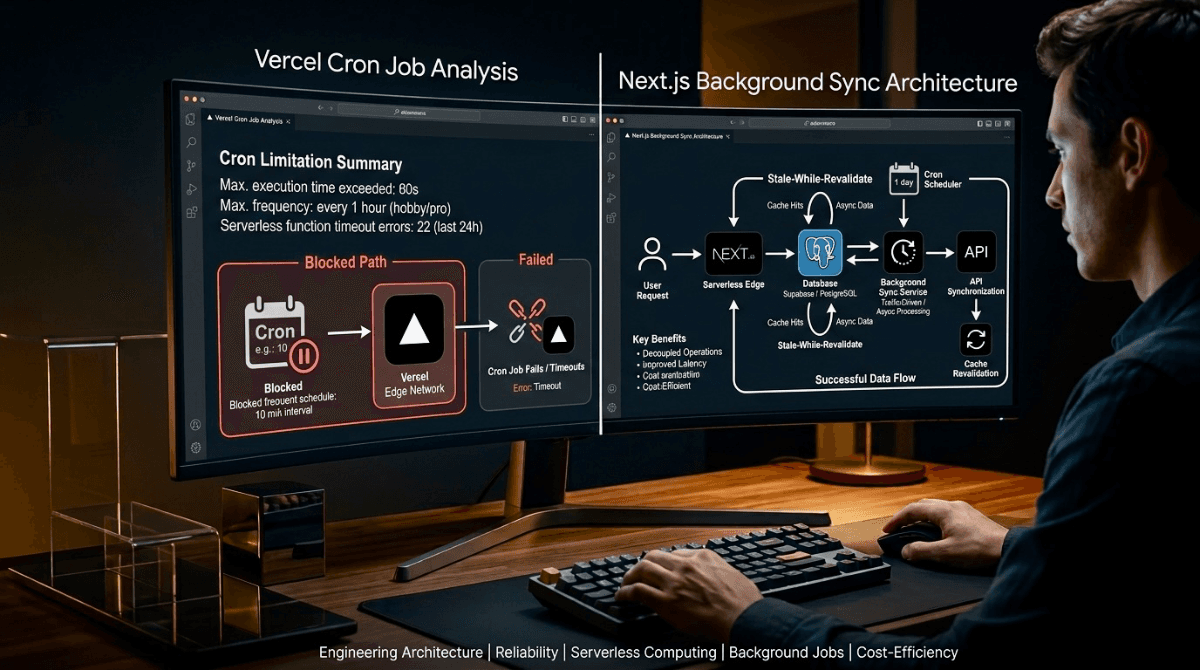
When you’re building a modern Next.js application, automated background tasks can quickly become a challenge. Whether you’re syncing YouTube videos, refreshing RSS feeds, updating content, or publishing scheduled posts, a common approach is to configure Vercel Cron Jobs through vercel.json.
But on the Vercel Hobby plan, sub-daily cron schedules can trigger a deployment error such as:
❌ Vercel - Deployment failed.
Error: Hobby accounts are limited to daily cron jobs.
This cron expression would run more than once per day.The good news is that you don’t always need to upgrade your Vercel plan just to keep application data reasonably fresh. With the right architecture, you can move the synchronization trigger into your application itself using a Stale-While-Revalidate (SWR) pattern and a lightweight locking mechanism.
1. Why Does the Vercel Cron Error Happen?
A typical background synchronization setup might look like this:
{
"crons": [
{
"path": "/api/cron/sync-youtube",
"schedule": "/30    *"
}
]
}The expression /30 * attempts to execute the endpoint every 30 minutes.
According to the scenario covered in this guide, the Vercel Hobby plan does not allow cron schedules that execute multiple times per day. As a result, the deployment can be rejected during Vercel's cron validation rather than allowing the application to build normally.
The important point is that this is a deployment configuration restriction, not necessarily a limitation of your application's ability to perform synchronization.
2. The Quick Fix: Make vercel.json Compliant
If you don't actually need frequent Vercel-managed cron execution, change the schedule to a daily expression.
{
"crons": [
{
"path": "/api/cron/sync-youtube",
"schedule": "0 0   *"
},
{
"path": "/api/cron/publish-scheduled",
"schedule": "0 1   *"
}
]
}This removes the sub-daily cron configuration and allows the project to use a schedule compatible with the stated Hobby-plan constraint.
But that creates another question:
What if your application still needs fresh data every 30 minutes?
3. The Better Question: Do You Really Need a Cron Job?
A traditional cron system runs according to time, regardless of whether anyone actually needs the data.
For example, imagine a small content website that receives only a few hundred visitors per day. Running a synchronization task every 15 minutes means the system could perform dozens of background operations even when nobody is visiting the application.
Instead, we can make synchronization demand-driven.
The basic idea is simple:
If someone accesses the application and the existing data is older than the defined freshness window, start a background synchronization. Otherwise, immediately serve the existing data.
This approach is especially useful for content portals, dashboards, API aggregators, personal SaaS products, RSS readers, and applications that don't require second-by-second real-time data.
4. The Architecture: Stale-While-Revalidate + Mutex
The architecture separates serving existing data from refreshing stale data.
[Incoming Visitor / Search Engine Request]
│
▼
[Data Access Layer]
getVideos() / getPosts()
│
▼
Is data older than 30 minutes?
/             \
No               Yes
│                 │
▼                 ▼
Return existing       Acquire Lock
data                  │
▼
Background Sync Task
│
┌────────────┼────────────┐
▼            ▼            ▼
Fetch API     Database      Cache
Upsert        Revalidation
│
▼
Release LockThe user doesn't have to wait for the synchronization process to complete.
The application can return the currently available data immediately while the refresh operation happens separately.
5. Why the Mutex Matters
There is one important problem with a traffic-triggered system: multiple requests can arrive at almost exactly the same time.
Imagine 20 visitors open your website after the data has become stale.
Without a lock, all 20 requests could potentially decide:
Data is stale → Start synchronizationThat could result in duplicate API requests and unnecessary database writes.
A mutex-style guard prevents multiple synchronization attempts from running simultaneously within the same runtime instance.
6. Production-Style Scheduler
A lightweight scheduler can track the last synchronization attempt and prevent duplicate executions:
let lastSyncAttempt = 0;
let isSyncing = false;const SYNCINTERVALMS = 30 60 1000;
export function triggerAutonomousSyncIfStale(): void {
const now = Date.now();// Prevent duplicate synchronization attempts
if (isSyncing) return;// Data is still considered fresh
if (now - lastSyncAttempt < SYNCINTERVALMS) return;// Acquire the lock
isSyncing = true;
lastSyncAttempt = now;// Start synchronization without blocking the request
(async () => {
try {
console.log(
"[Autonomous Sync] Starting background synchronization..."
);await executeDataSync();
console.log(
"[Autonomous Sync] Synchronization completed."
);
} catch (error) {
console.error(
"[Autonomous Sync Error]:",
error
);
} finally {
isSyncing = false;
}
})();
}
async function executeDataSync() {
// Fetch external data
// Normalize the response
// Upsert records into your database
// Revalidate affected pages
}
Here, SYNCINTERVALMS defines how frequently the application should consider the data stale.
For a 30-minute freshness window:
const SYNCINTERVALMS = 30 60 1000;You can change this value depending on your application's requirements.
7. Triggering the Sync from the Data Layer
Instead of creating a separate timer that constantly runs in the background, call the stale-data check whenever the relevant data is requested.
import {
triggerAutonomousSyncIfStale
} from "@/lib/sync-scheduler";export async function getLatestVideos() {
// Check whether background synchronization is required
triggerAutonomousSyncIfStale();
// Immediately return existing database data
return await db
.select()
.from(videosTable)
.orderBy(desc(publishedAt));
}
The important architectural principle is that the data request does not wait for the synchronization job.
The existing database content can be returned immediately while the refresh process runs separately.
8. Refreshing Next.js Pages After Synchronization
Once the external data has been successfully fetched and stored, you may want to invalidate cached pages so the new content becomes available to subsequent requests.
import { revalidatePath } from "next/cache";
revalidatePath("/videos");
revalidatePath("/sitemap.xml");
revalidatePath("/");
This allows the synchronization process to update both the database and the relevant Next.js cache paths.
9. The Complete Request Lifecycle
Consider a website that imports new videos from an external API.
| Stage | What Happens |
|---|---|
| 1. Request | A visitor or crawler requests the page. |
| 2. Freshness Check | The application checks when synchronization was last attempted. |
| 3. Lock Check | If another synchronization is already running, nothing new is started. |
| 4. Response | The application immediately returns existing database content. |
| 5. Background Sync | Fresh data is fetched from the external API. |
| 6. Database Update | New records are inserted or updated using an upsert operation. |
| 7. Revalidation | Affected Next.js paths are revalidated. |
| 8. Unlock | The synchronization lock is released. |
10. Comparing the Available Approaches
| Approach | Cost | Typical Use | Main Trade-off |
|---|---|---|---|
| Vercel Pro Cron | Paid | Precise scheduled jobs | Additional recurring platform cost |
| In-App SWR + Mutex | $0 additional cost | Traffic-driven data refresh | Requires application traffic and careful runtime design |
| GitHub Actions | Free tier available | Scheduled automation | Execution timing can vary |
| External Scheduler | Free tiers available | Webhook-based background jobs | Adds an external dependency |
11. Important Production Consideration
The in-memory isSyncing flag shown above is intentionally simple, but it should not be treated as a universal distributed locking solution.
Serverless platforms can create multiple runtime instances. In that situation, each instance may have its own memory and therefore its own copy of isSyncing.
For applications where duplicate execution would be costly or dangerous, move the lock and synchronization state into a shared system such as your database or another distributed coordination mechanism.
This distinction is important:
In-memory mutex = lightweight deduplication within one runtime.
Distributed lock = coordination across multiple application instances.
12. When Should You Use This Architecture?
This approach works particularly well when your application needs fresh data but does not require a guaranteed execution at an exact time.
| Use Case | Good Fit? |
|---|---|
| YouTube/RSS content synchronization | ✅ Yes |
| Content aggregation | ✅ Yes |
| Dashboard data refresh | ✅ Yes |
| Scheduled financial transactions | ❌ No |
| Time-critical notifications | ❌ Usually not |
| Guaranteed background processing | ❌ Use a dedicated job system |
The key question is not simply "How often should this job run?"
It is:
"Does this task need to run at an exact time, or does the data simply need to be reasonably fresh when someone needs it?"
13. Final Takeaway
A Vercel Hobby cron restriction doesn't necessarily mean your application needs an immediate paid upgrade.
For traffic-driven content synchronization, a Stale-While-Revalidate architecture can provide a much more efficient model:
- Keep Vercel's cron configuration within the limits of your plan.
- Let application traffic trigger freshness checks.
- Return existing data immediately.
- Refresh stale data asynchronously.
- Use locking to reduce duplicate synchronization attempts.
- Revalidate affected Next.js pages after successful ingestion.
Most importantly, don't use a scheduled job simply because it's the first solution that comes to mind.
If your application only needs fresh data when users actually request it, a demand-driven synchronization architecture can be simpler, cheaper, and more resource-efficient than a constantly running cron schedule.
On This Page
- 1. Why Does the Vercel Cron Error Happen?
- 2. The Quick Fix: Make vercel.json Compliant
- 3. The Better Question: Do You Really Need a Cron Job?
- 4. The Architecture: Stale-While-Revalidate + Mutex
- 5. Why the Mutex Matters
- 6. Production-Style Scheduler
- 7. Triggering the Sync from the Data Layer
- 8. Refreshing Next.js Pages After Synchronization
- 9. The Complete Request Lifecycle
- 10. Comparing the Available Approaches
- 11. Important Production Consideration
- 12. When Should You Use This Architecture?
- 13. Final Takeaway

Subscribe to One2Tech Insights
Stay updated with our latest development and tech guides.
More from Website Dev
View all
How to Turn Your Android Phone into a Local Shared Drive Using Wi-Fi Hotspot
You can turn your Android phone into a local file-sharing server and access a specific folder from Windows, Mac, or other phones connected to its Wi-Fi hotspot.
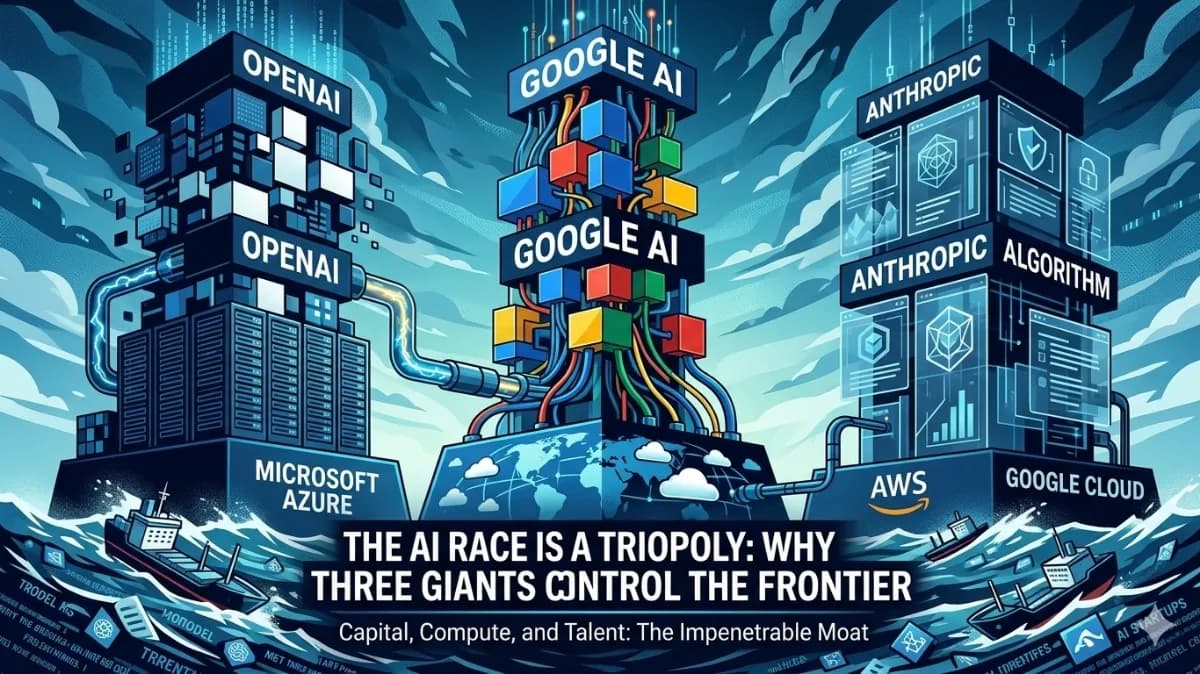
The AI Triopoly: Unpacking the Dominance of Google, OpenAI, and Anthropic
The global AI landscape appears vast, but beneath the surface, a triopoly of Google, OpenAI, and Anthropic controls nearly 90% of frontier AI capabilities. This trio has built an impenetrable moat around the future of technology, making it mathematically improbable for new entrants to break in. In this article, we'll delve into the data-driven breakdown of how these three players established their structural monopoly and why it's so difficult to disrupt.