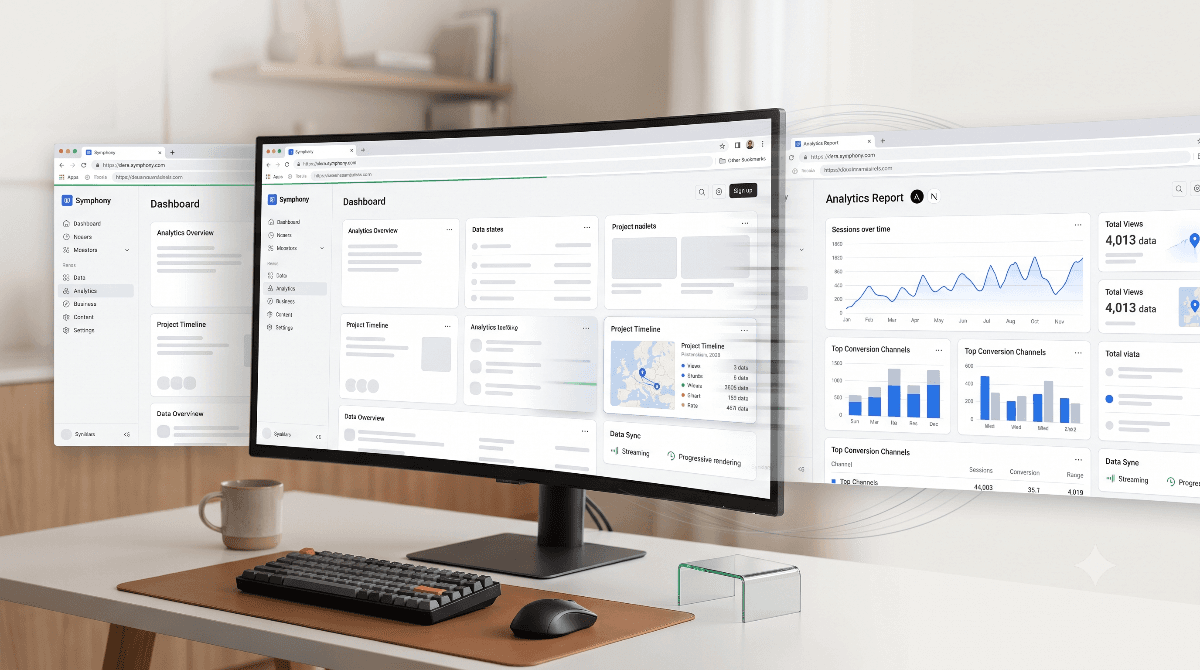
A website can be technically fast and still feel slow.
On the other hand, a website can still be processing data in the background while
making the user feel that everything is happening instantly.
This difference is called perceived performance — and it is one of
the most important parts of modern web UX.
💡 The goal isn't always to eliminate latency.
The goal is to make the interface communicate immediately that the user's action
has been received and work is already in progress.
🧠 First Understand It Without Code
Imagine you walk into a restaurant and place an order.
There are two possible experiences.
❌ Experience 1: Complete Silence
You place your order and the waiter disappears.
You don't know whether the order was received, whether the kitchen started
preparing it, or whether something went wrong.
Even if your food arrives after only five minutes, those five minutes feel long.
✅ Experience 2: Immediate Feedback
You place the order and immediately hear:
"Got it. Your order is being prepared."
The kitchen starts working while you can see that progress is happening.
The actual preparation time might be exactly the same — but the experience feels
significantly faster.
📌 This is perceived performance.
The system doesn't necessarily finish faster. It communicates progress faster.
🌐 Now Apply the Same Idea to a Website
The same principle applies when someone clicks:
- Videos
- Audio
- Temples
- Posts
- Dashboard pages
- Search results
A traditional implementation may leave the user staring at the current screen
while the browser waits for navigation and server data.
That creates the impression:
"Did my click even work?"
A better architecture immediately communicates:
"Yes. Your action worked. The next page is loading."
That small difference can dramatically change how fast an application feels.
⚡ The Core Architecture
For a modern Next.js application, perceived performance can be designed as a
layered system rather than relying on one loading animation.
| Layer | Purpose | User Perception |
|---|---|---|
| Navigation Feedback | Immediately acknowledge the user's action | "My click worked." |
| Route Skeleton | Show the structure of the upcoming page | "The page is already appearing." |
| CSS Motion | Make transitions feel continuous | "The interface is responding." |
| Streaming / Rendering | Deliver useful content as soon as possible | "Content is arriving progressively." |
The important idea is that these layers work together.
🚀 Layer 1: Instant Navigation Feedback
The first problem is the gap between the user's click and the visible response.
A lightweight navigation progress indicator can close that gap.
For example, when the user clicks the Videos link:
User clicks Videos
↓
Navigation starts
↓
Progress indicator appears immediately
↓
Next.js begins loading the route
↓
Videos page becomes available
↓
Progress indicator completes
The progress indicator does not make the server respond faster.
Instead, it removes uncertainty.
💡 UX principle:
Never leave the user wondering whether their action was registered.
🧩 Layer 2: Route-Level Skeleton UI
After navigation begins, the next challenge is the waiting period before the
actual content becomes available.
This is where Skeleton UI becomes useful.
Instead of showing a blank screen:
Loading...
show a lightweight representation of the page that is about to appear.
For example, the Videos page can immediately display:
┌──────────────────────────────┐
│ Videos                       │
│                              │
│ ┌──────────┐ ┌──────────┐    │
│ │          │ │          │    │
│ │ Skeleton │ │ Skeleton │    │
│ │          │ │          │    │
│ └──────────┘ └──────────┘    │
│                              │
└──────────────────────────────┘
The user's brain already understands the final structure.
When the real content arrives, the transition feels natural instead of
appearing as a sudden replacement of an empty screen.
📁 Next.js Makes Route Loading States Natural
With the App Router, route-specific loading UI can be colocated with the route
itself.
app/
├── videos/
│   ├── page.tsx
│   └── loading.tsx
│
├── audio/
│   ├── page.tsx
│   └── loading.tsx
│
├── temples/
│   ├── page.tsx
│   └── loading.tsx
│
└── posts/
├── page.tsx
└── loading.tsx
This creates an important architectural advantage:
each route can have a loading experience designed around its actual content.
A video page does not need the same skeleton as an article page.
A temple directory does not need the same loading structure as an audio library.
🎨 Layer 3: Lightweight CSS Motion
Once the structure appears immediately, subtle animation can make the interface
feel even more responsive.
The important word here is subtle.
You don't need large animation libraries or complicated transition systems for
a simple loading experience.
Lightweight CSS properties such as:
transformopacitytranslate3d()
can be enough for smooth entrance and movement effects.
A skeleton shimmer can also be implemented using a simple CSS keyframe animation.
@keyframes shimmer {
0% {
background-position: -200% 0;
}
100% {
background-position: 200% 0;
}
}
This keeps the loading experience visually active without introducing unnecessary
JavaScript work.
♿ Don't Forget Reduced Motion
Animation should improve usability, not become an accessibility problem.
Users who have enabled reduced motion at the operating-system level should not
be forced to experience unnecessary movement.
@media (prefers-reduced-motion: reduce) {
- {
animation-duration: 0.01ms !important;
animation-iteration-count: 1 !important;
transition-duration: 0.01ms !important;
}
}
This creates a more inclusive experience while keeping motion available for users
who prefer it.
🌊 Layer 4: Streaming and Progressive Rendering
The final layer is about how quickly useful content can reach the browser.
Instead of thinking about a page as one giant operation:
Request
↓
Wait for everything
↓
Render entire page
↓
Show page
modern rendering architectures can progressively deliver parts of the interface.
Request
↓
Show route structure
↓
Stream available content
↓
Render remaining sections
↓
Complete page
This is particularly valuable for pages containing multiple server-side data
sources or heavier sections.
📊 Putting Everything Together
Consider a user opening the Videos section of a Next.js
application.
The experience can be designed like this:
1. User clicks "Videos"
↓
- Navigation feedback appears
↓
- Videos route begins loading
↓
- Video skeleton appears
↓
- Skeleton uses lightweight CSS motion
↓
- Server-rendered content starts arriving
↓
- Real video cards replace skeletons
↓
Navigation feedback disappears
Notice something important:
Not a single layer is responsible for making the application feel fast.
The experience is created by the entire chain.
🧠 Why This Works So Well
Humans don't measure performance only with a stopwatch.
We also interpret:
- Feedback
- Movement
- Progress
- Visual continuity
- Predictability
A completely blank interface provides almost no information.
A progress indicator tells us that something started.
A skeleton tells us what is coming.
Progressive rendering shows that work is continuing.
Smooth transitions connect one state to another.
⚡ The result:
The same underlying network or server latency can feel substantially shorter
because the interface continuously communicates progress.
💻 Why Heavy Animation Libraries Aren't Always Necessary
A common mistake is adding a large animation dependency simply to create loading
transitions.
For many loading states, that is unnecessary.
Native CSS can handle:
- Opacity transitions
- Transforms
- Shimmer effects
- Simple entrance animations
- Loading indicators
Keeping these effects close to CSS can reduce JavaScript overhead and simplify the
architecture.
📱 The Same Principle Works Everywhere
This architecture isn't limited to one particular application.
| Product | Instant Feedback | Useful Loading State |
|---|---|---|
| Video Platform | Navigation progress | Video-card skeletons |
| News Website | Route transition | Article skeleton |
| E-commerce | Cart feedback | Product-card skeletons |
| Dashboard | Action confirmation | Widget skeletons |
| Social App | Instant interaction feedback | Feed placeholders |
The implementation changes, but the underlying UX principle remains the same:
Acknowledge → Show progress → Reveal structure → Deliver content
🛠️ A Practical Performance Architecture
For a modern Next.js application, a clean implementation can therefore follow
this model:
User Interaction
↓
Navigation Feedback
↓
Route-Level Loading UI
↓
Skeleton + Lightweight CSS Motion
↓
Server Rendering / Streaming
↓
Real Content
↓
Final Interactive State
Each layer has a single responsibility.
That makes the system easier to reason about, test, and maintain.
🧪 Performance Verification
Perceived performance should not replace actual performance engineering.
After implementation, the application should still be checked through the normal
development and production validation process.
npm run typecheck
npm run lint
npm run build
The application should also be manually tested across important routes such as:
//videos/temples/audio/posts
Test both fast and slow network conditions and pay attention to what the user
sees between the initial click and the final content.
⚠️ Don't Confuse Perceived Performance With Real Performance
A beautiful skeleton cannot fix a fundamentally slow application.
If an API takes ten seconds, adding a shimmer animation does not magically make
that API fast.
The correct approach is to work on both sides:
| Actual Performance | Perceived Performance |
|---|---|
| Optimize server response | Show immediate feedback |
| Reduce unnecessary JavaScript | Use meaningful skeletons |
| Optimize database queries | Show progressive progress |
| Improve caching | Use smooth transitions |
| Optimize assets | Maintain visual continuity |
Real performance makes the application faster.
Perceived performance makes that speed visible to the user.
🎯 The Bigger UX Lesson
The best loading experience is not necessarily the one with the most animation.
It is the one that answers the user's questions immediately:
- Did my action work?
- Is something happening?
- What am I waiting for?
- What will appear next?
Navigation feedback answers the first question.
Skeleton UI answers the second and third.
Progressive rendering answers the fourth.
Together, they transform a waiting period into a visible process.
🏁 Final Takeaway
Building a fast-feeling Next.js application is not about hiding latency with
flashy animations.
It is about designing every state between user action and
completed content.
A strong architecture combines:
- Instant navigation feedback
- Route-specific
loading.tsxstates - Meaningful skeleton interfaces
- Lightweight CSS transitions
- Reduced-motion support
- Streaming and progressive rendering
- Real performance optimization
🚀 The best loading state is not the one with the most animation.
It's the one that makes the user feel that the application is already working.